Viewing shared DS samples
Click on the sharable link, e.g.: https://pathoview.com/i/ca041450-0589-4fd6-a215-e2aa6c0b068e.
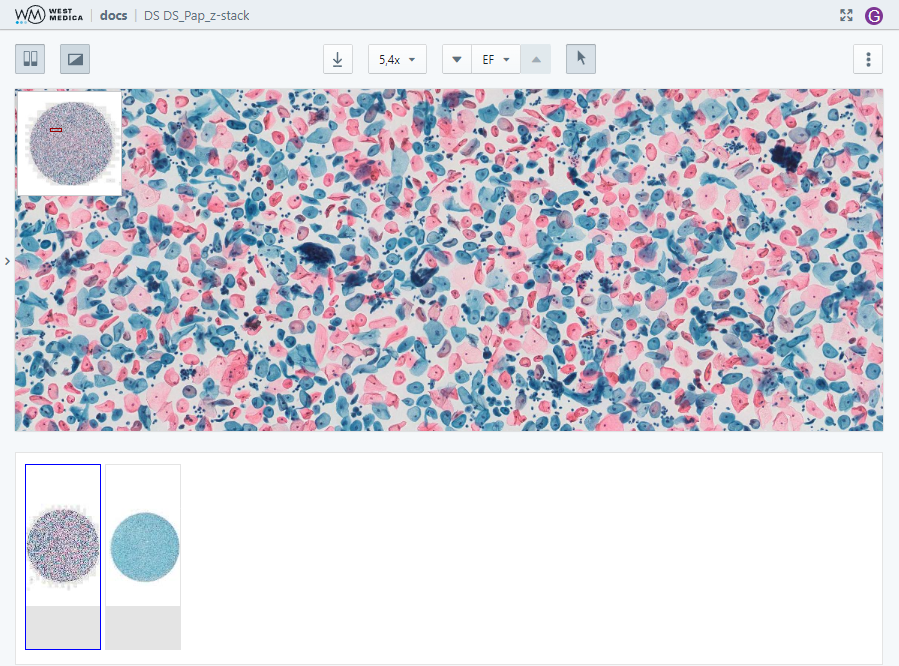
Move around the digital slide by moving the mouse while holding down the left button or by moving the rectangle on the thumbnail. To change the zoom, use the mouse wheel or the zoom selection drop-down list.
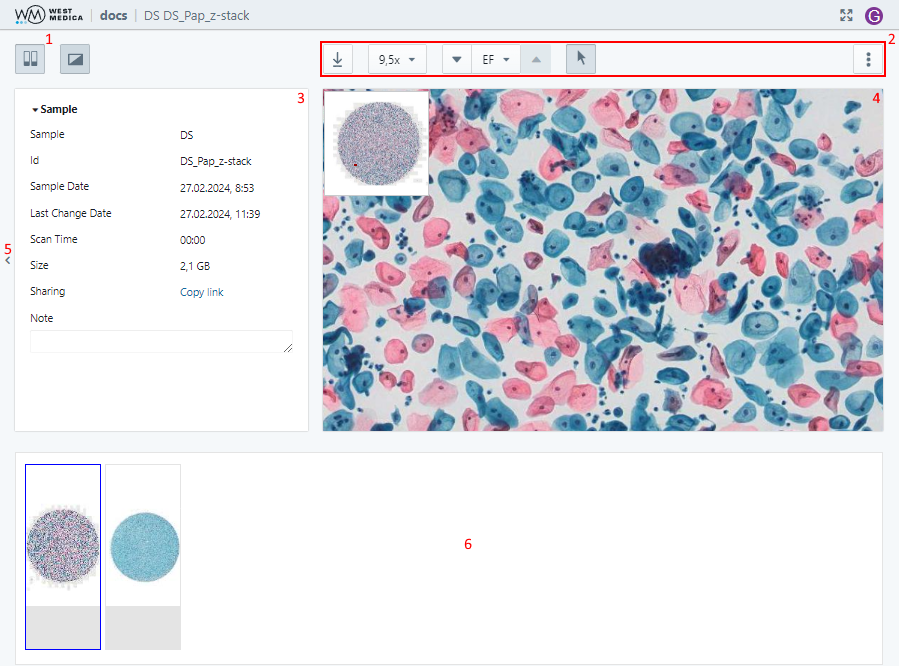
The sample viewing page contains the following items:
- “Slide View” button — shows/hides the slide view area (the button is available if the sample is opened via the folder sharing link);
- Sample toolbar — contains the tools for work with the sample;
- Sample attribute window — displays the sample attributes;
- Viewing window — sample overview;
- “Description” window — displays the description of the digital slide (the window is available if a description was added for the digital slide);
- Attribute window control button — show/hide the attribute window;
- “Description” window control button — show/hide the window with the description of the digital slide (the button is available if a description was added for the digital slide);
- Slide view area — displays other samples from the folder (the area is available if the sample is opened via the folder sharing link).
The digital slide is displayed in the sample viewing window.

The following tools are available:
- “Download image” — saves the image displayed in the viewing window;
- “Image zoom” — selects the digital slide zoom option;
- Multi-layer DS viewing controls — focusing on different layers of the digital slide, available for multi-layer DS;
- “View mode” — switches to DS view mode;
- “Move to…” — moves the digital slide to the center of the viewing area using the specified coordinates;
- “Color Settings” — adjusts the digital slide color parameters;
- “View” — configuring the display of auxiliary elements:
- “Show/Hide coordinates” — toggles display of cursor coordinates on the digital slide;
- “Show/Hide navigator” — toggles DS thumbnail display;
- “Show/Hide label” — toggles DS label display;
- “Show/Hide annotations” — toggles display of annotations on digital slides.
- “Show/Hide scale”— toggles display of a measuring scale on the DS.